5 Claude Features Most People Don't Know About
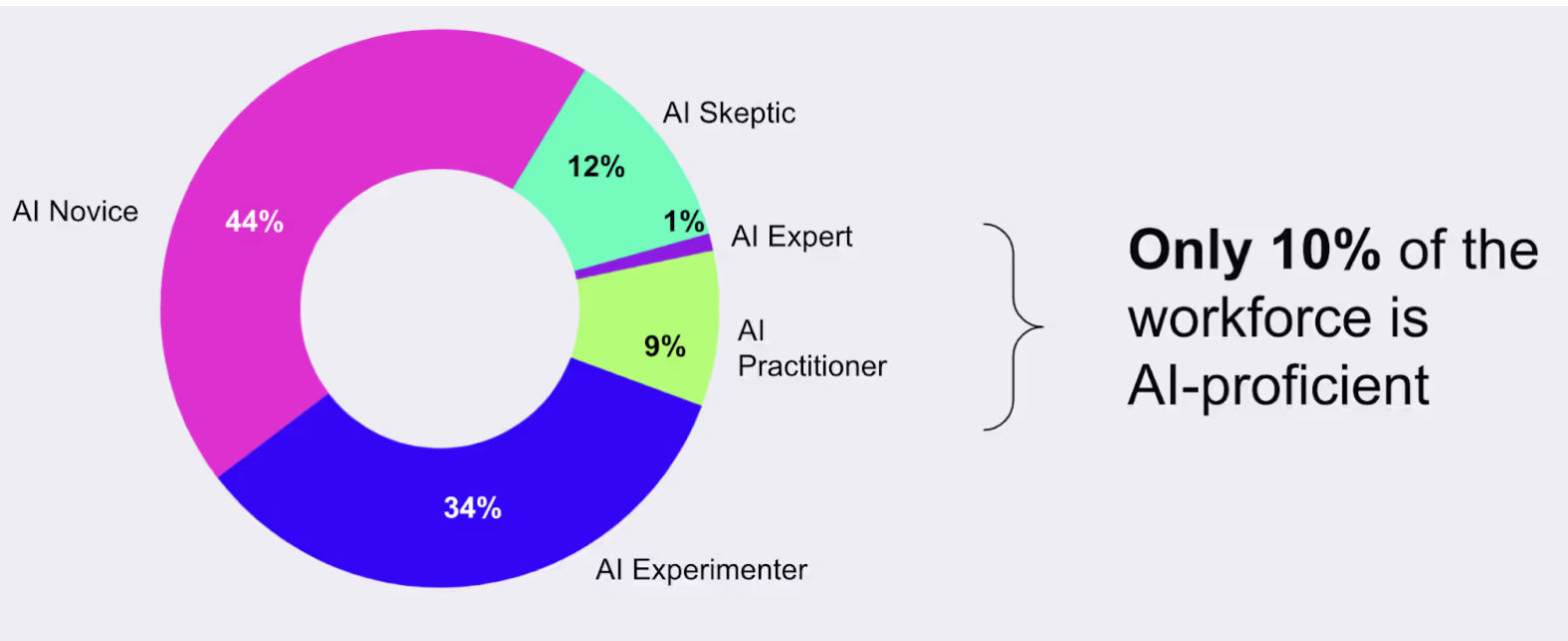
A lot of people use AI, but only a few use it to its full potential. According to data from Section AI, only 10% of the workforce is considered “AI-proficient”, the other 90% don’t really understand what AI is capable of.
If you’re mostly using Claude to ask questions or generate a piece of text, you’re only scratching the surface. In this article, we’ll look at five practical ways to use Claude beyond the basics and make it a more useful part of your everyday work.
1. Create Skills to Automate Repetitive Work
A Claude Skill is a reusable set of instructions, resources, and guidelines for handling a specific type of work. Once created, Claude can use the Skill whenever that task comes up instead of you having to explain the process from scratch.
For example, imagine you manage social media for a company. Every week, you turn a collection of notes and campaign results into a weekly report. You could create a Skill that captures all the instructions you normally repeat, from the report structure and metrics to the tone, recommendations, and brand guidelines.
Here’s how to create this Skill using a prompt:
I create a weekly marketing performance report for our internal marketing team.
The report should:
- Start with a short executive summary of the week’s performance.
- Include total impressions, clicks, click-through rate, conversions, conversion rate, and cost per conversion.
- Compare this week’s results with the previous week and highlight significant changes.
- Identify the three most important trends or changes in the data.
- Explain possible reasons for significant changes, but clearly distinguish observations from assumptions.
- End with three specific recommendations for the following week.
Style and tone
- Use a clear, professional, and conversational tone.
- Avoid marketing jargon where a simpler term will work.
- Keep the executive summary under 150 words.
- Use short paragraphs and bullet points to make the report easy to scan.
Branding
- Use our brand colors: navy (#0B1F3A), blue (#2563EB), and light gray (#F3F4F6).
- Use navy for headings and blue to highlight important metrics.
- Keep the overall design clean and suitable for sharing with the marketing team.
Help me turn these instructions into a reusable Claude Skill.
2. Connect Claude to Your Business Data
You can connect Claude to the tools and data sources you already use in your business, giving it access to information it can analyze and reason about.
One way to do this is through MCP (Model Context Protocol), which is a standard way for Claude to connect to external tools. For example, you can connect a database containing your business data to Claude using an MCP server. Setting this up can require some technical knowledge, so you may need a developer to help with the initial connection.
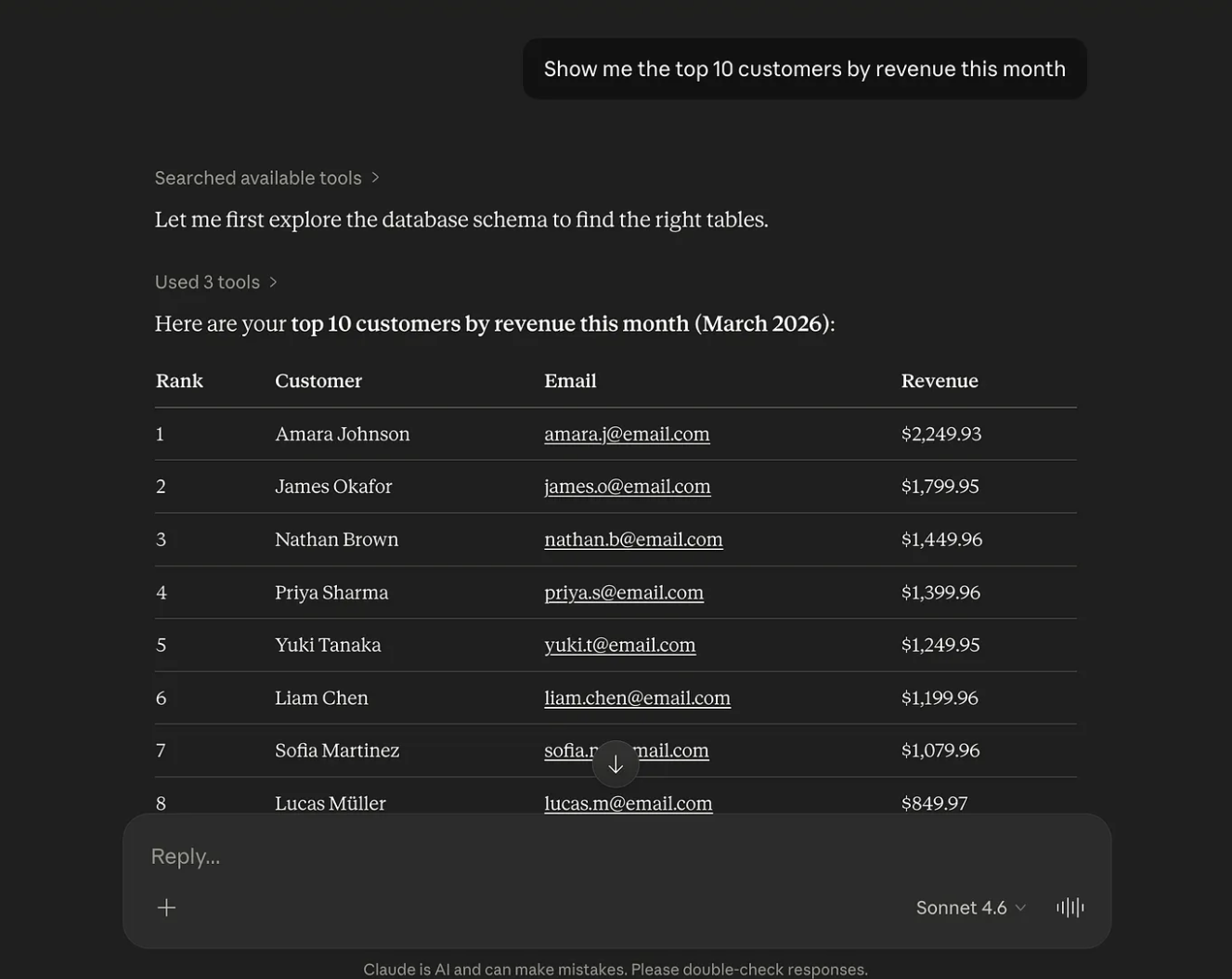
If you want to try it yourself, here’s a short tutorial on connecting a database to Claude using MCP.
You can also connect tools such as Google Drive, Slack, Notion, and CRM platforms to Claude, depending on the integrations or MCP servers available for each service. Once Claude can access your data, you can ask questions about your business directly, identify trends and unusual changes, and get help understanding what the numbers might mean.
You can also ask Claude to turn the data into visualizations or use its analysis to identify areas that may need attention.
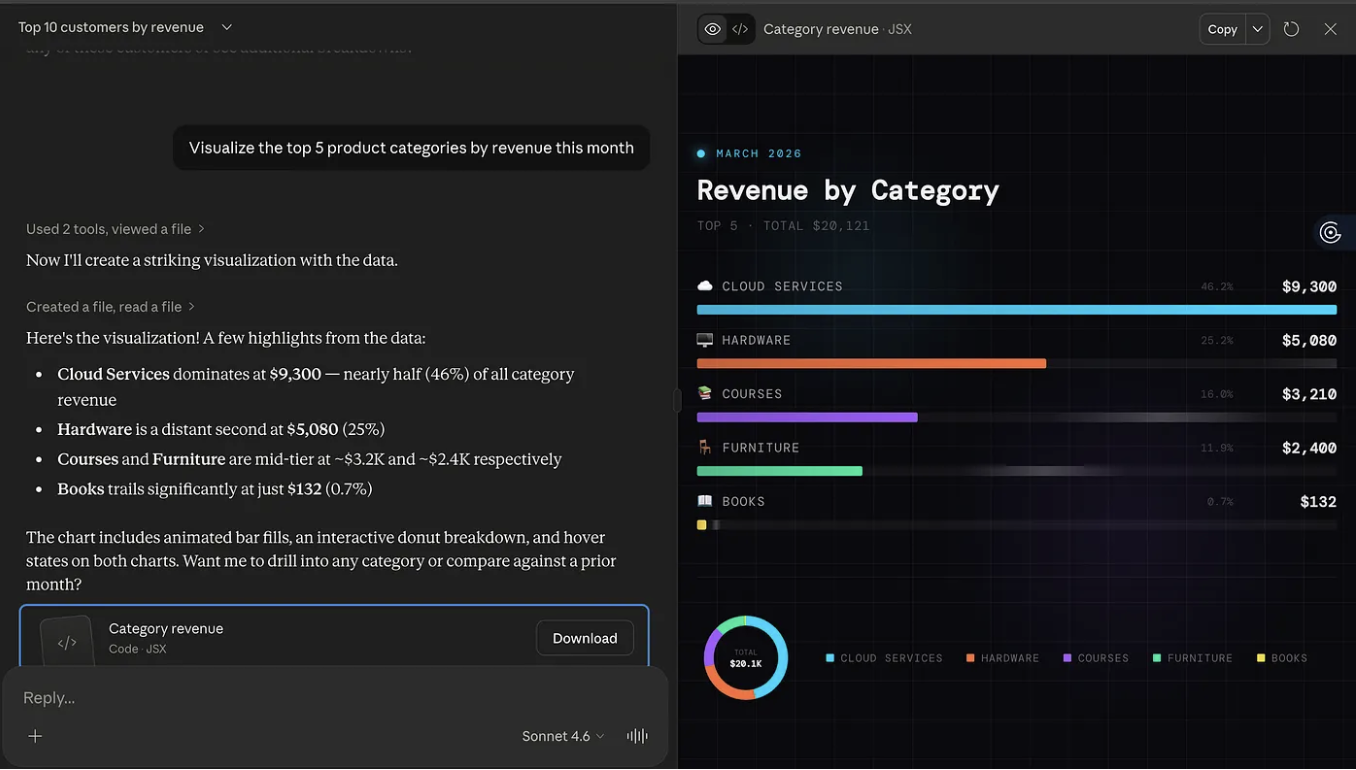
3. Create Presentations From Your Data
Claude can work across the tools you already use, allowing you to bring information from different sources into the same workflow. With Claude for Excel and PowerPoint, for example, you can analyze data in Excel and use those findings to create or update a presentation in PowerPoint.
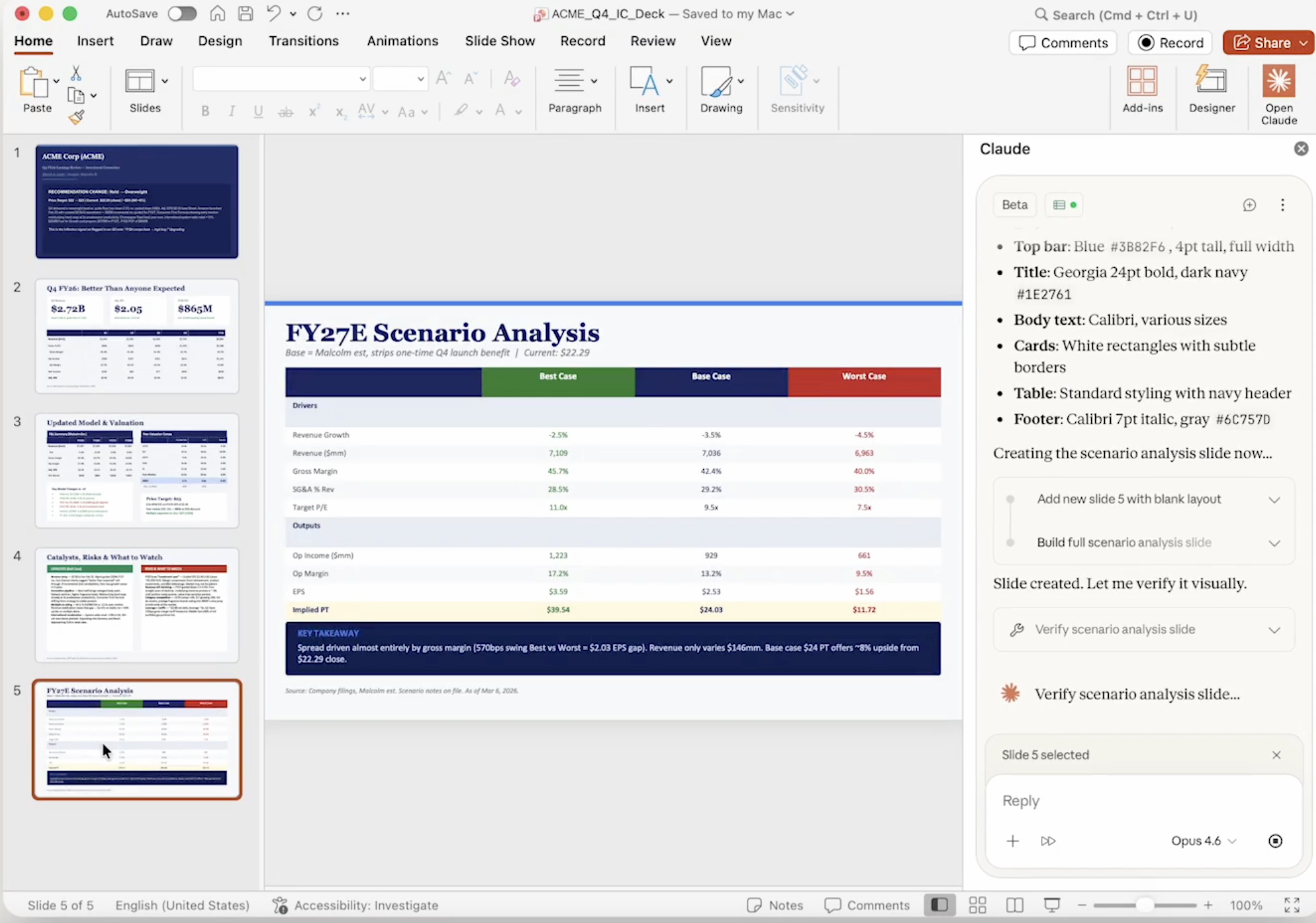
To learn more about the tools and services you can connect, check out Claude’s connector documentation.
4. Build Small Tools for Specific Tasks
In situations where there isn’t a tool that solves a particular problem, or the available tools do more than you need, you can ask Claude to build a simple, custom tool for the task.
For example, you could build a simple calculator for a business-specific process, a content planning tool, or a dashboard for tracking a particular metric.
You don’t need to know how to code the tool yourself. Start by describing the problem you want to solve, what you want the tool to do, and who will use it. Claude can then help you build and refine it.
5. Schedule Recurring Tasks
Another feature you should know about is scheduling recurring tasks. With scheduled tasks in Claude Cowork, you can tell Claude to run a task at a specific time or on a recurring schedule.

/schedule Every Monday morning at 9am, review the recent sales data, summarize the most important changes, and inform me of anything unusual.
This can be useful for recurring work such as weekly reports, monitoring business metrics, summarizing updates, or preparing information your team needs regularly.
Final Thoughts
In this article, you have learned five ways to use Claude beyond the basics: creating Skills, connecting your business data, building custom tools, creating presentations, and scheduling recurring tasks.
Hopefully, these ideas give you a better sense of what’s possible and help you get more out of Claude in your everyday work. Good luck!